Play around. Songs sung from typed lyrics, every kind of genre, solo instruments, the sound of a place: all made on a Mac. Open any one to see the words it was made from.
English · upbeat dance popSung in the Layrs app on a Mac
Turn It Up Tonight
Sound starts with a thought.
0:000:10
The prompt behind the sound+
The recipe this take was made from, exactly as Layrs used it.
Prompt
Lyrics
Seed
Headphones encouraged. Nothing loads until you press play.
Songs
Genres
Instruments
Ambience
RUNS ON YOUR MAC.
No cloud GPU. Every track above was made on a Mac: the music models run inside the app, on Apple silicon.
Swift
Native, not wrapped.
The music models are rewritten in Swift and run on your Mac’s own GPU. No Python, no server.
macOS 27
On Apple silicon.
Unified memory lets the GPU read the model directly, and Layrs keeps one engine loaded at a time.
Offline
No internet to make music.
The models are installed with the app. Your audio is made on your disk and stays there.
0 credits
Your Mac is the GPU.
No queue and no cost per track. Make another take as often as you like.
EVERYTHING IN ONE STUDIO.
From the first sentence to the last stem, in one Mac app. Every picture here is a capture of Layrs itself.
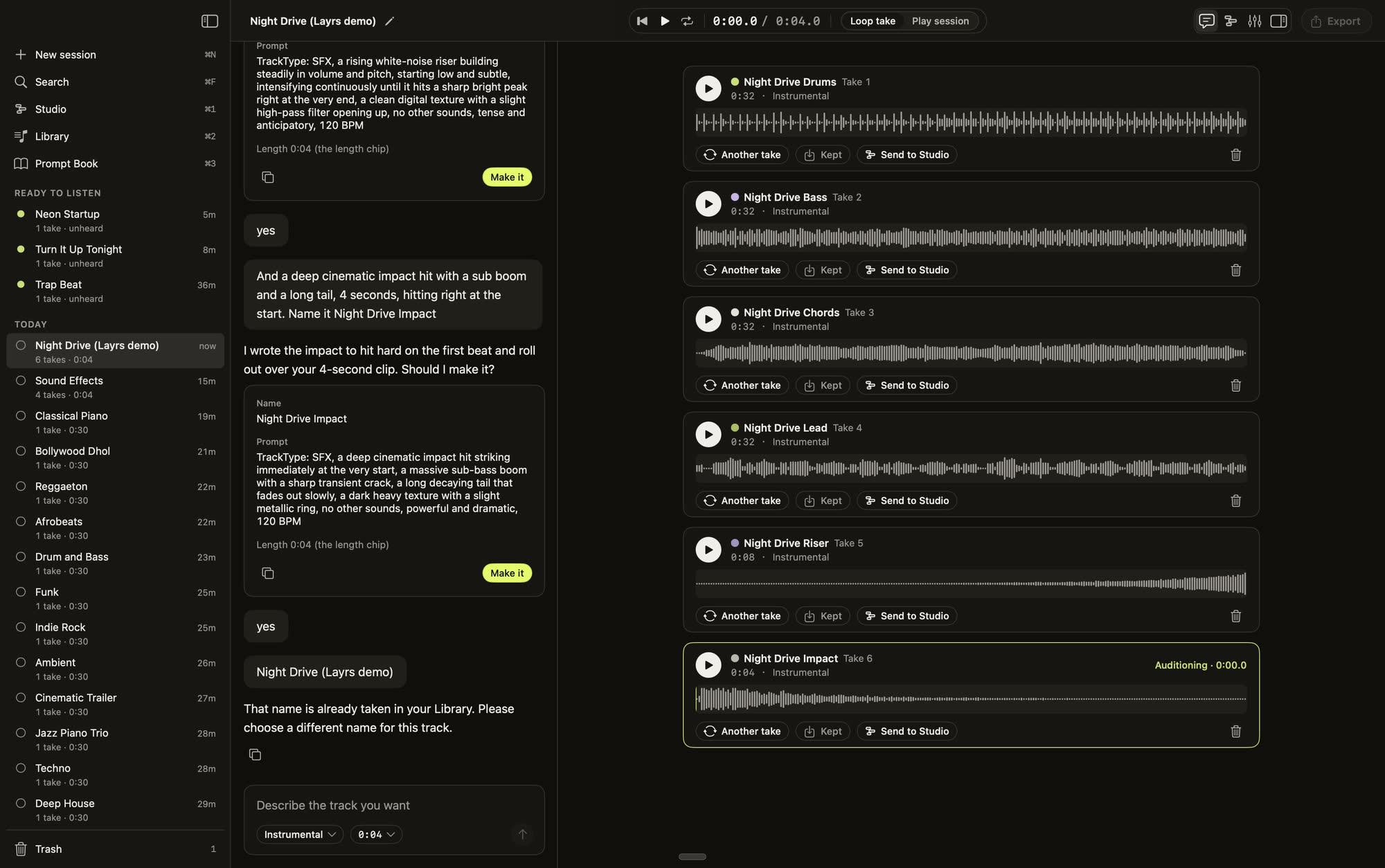
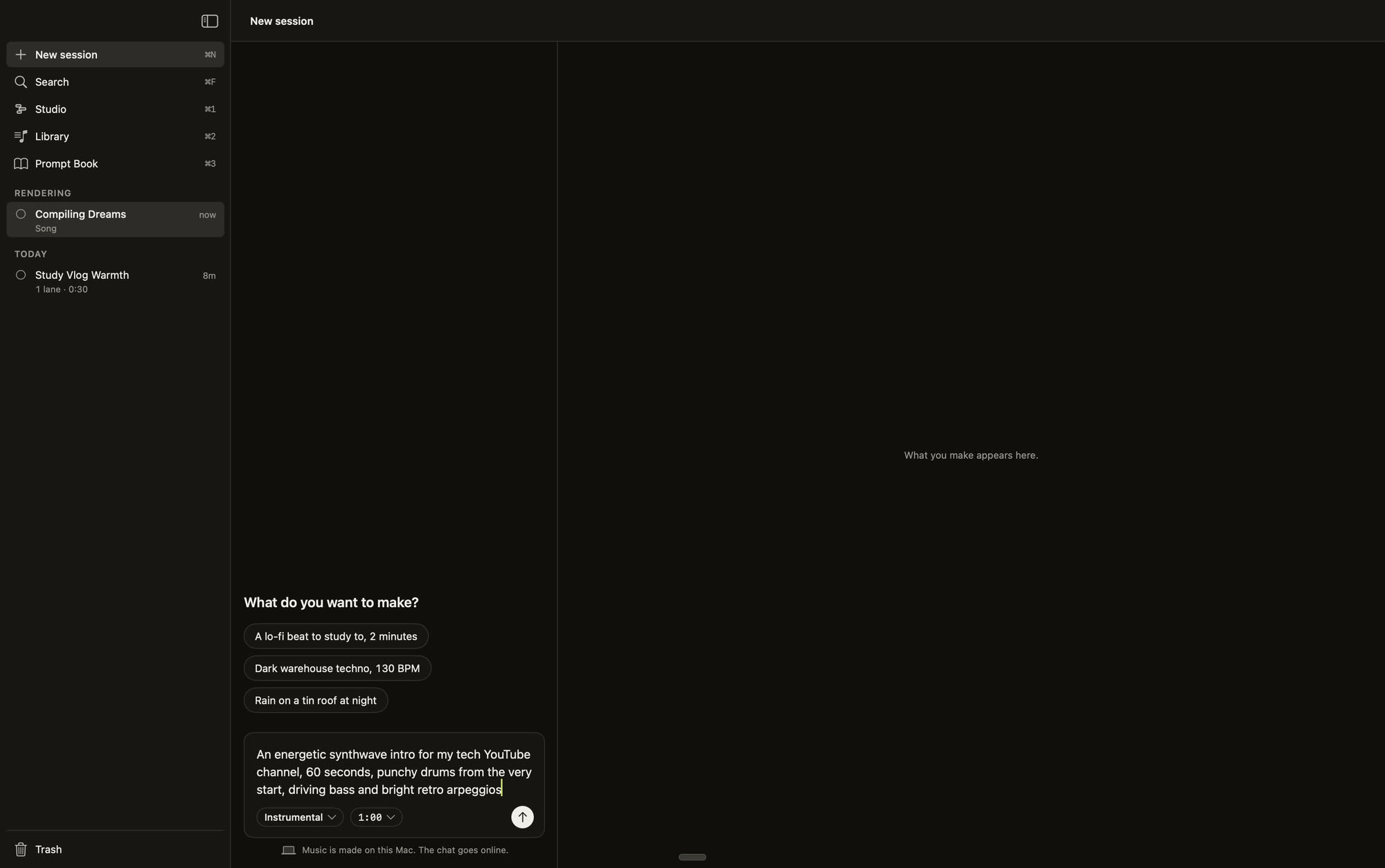
Chat and recipes
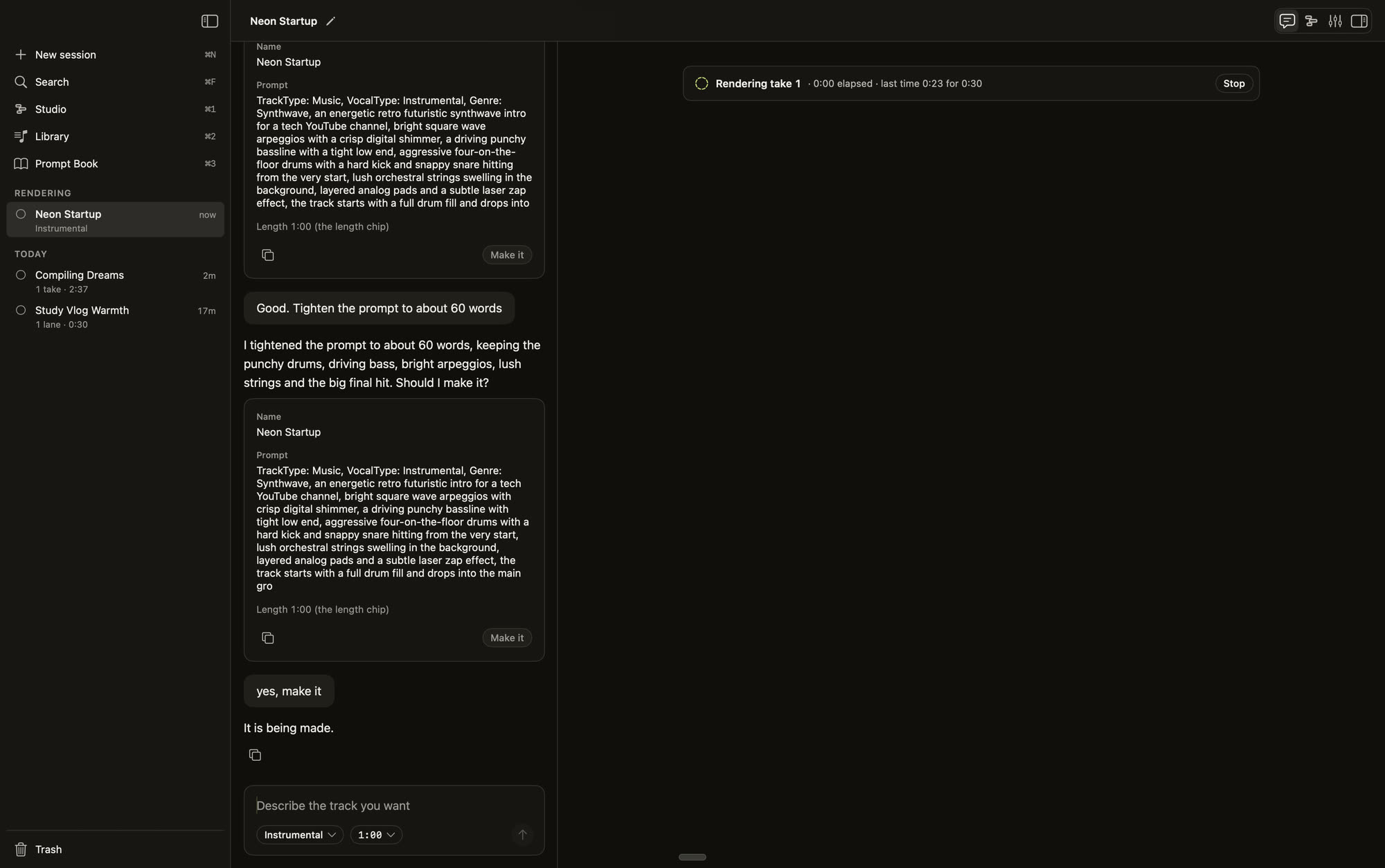
Say what you want in your own words. The assistant answers with a recipe you can read and change.
Recipe check and Fix it
Every recipe is checked before your Mac spends a minute on it. If it won’t work, Fix it rewrites it.
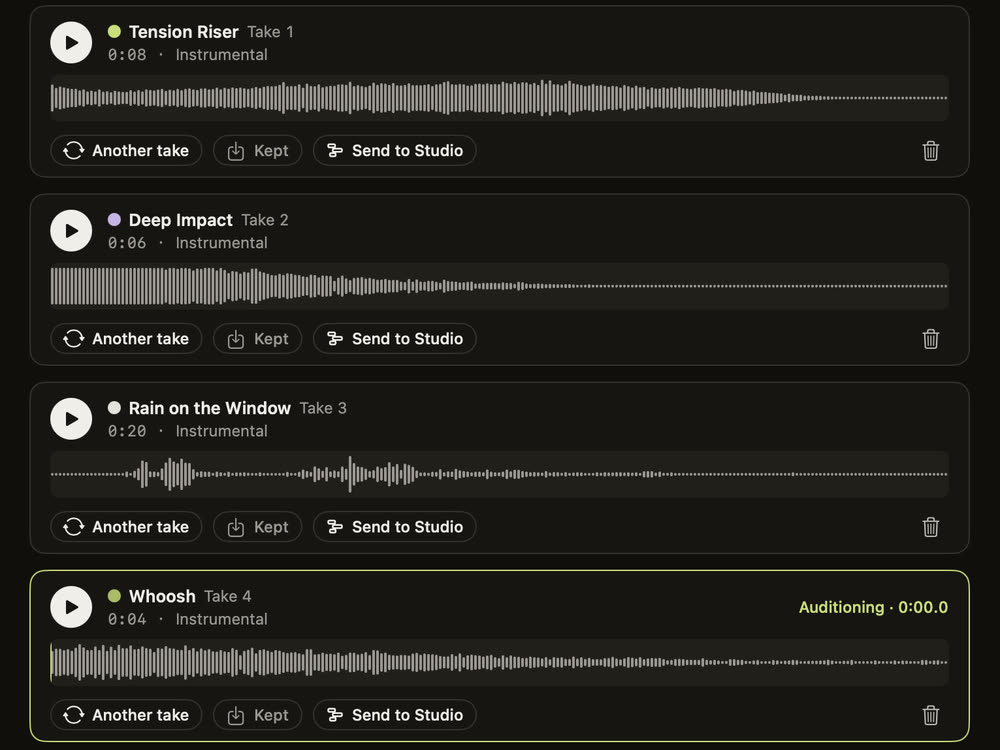
Takes and Another take
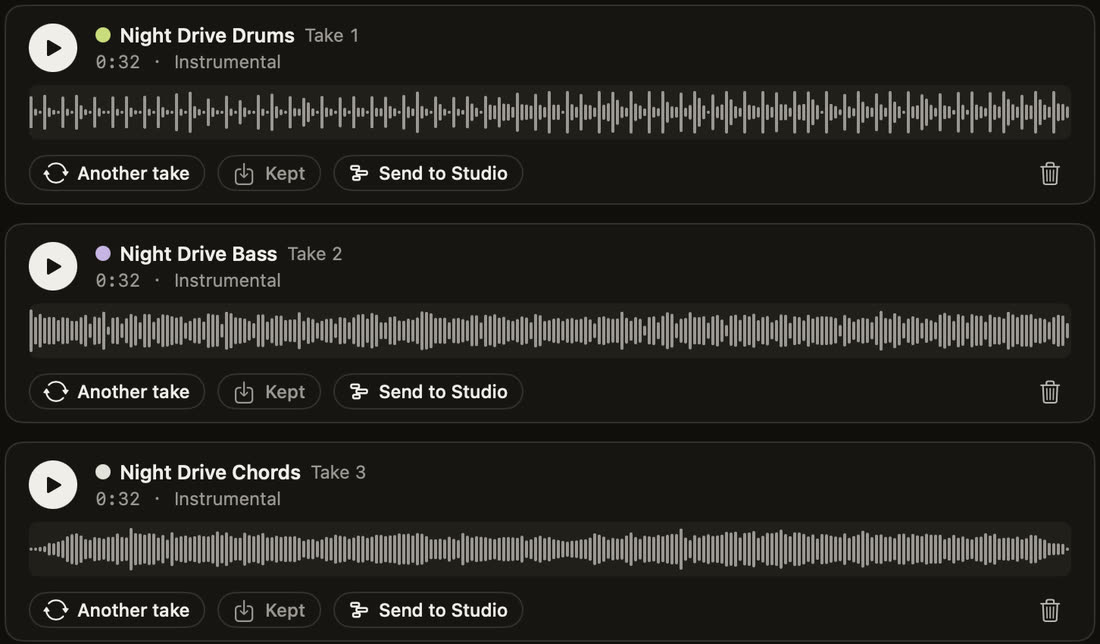
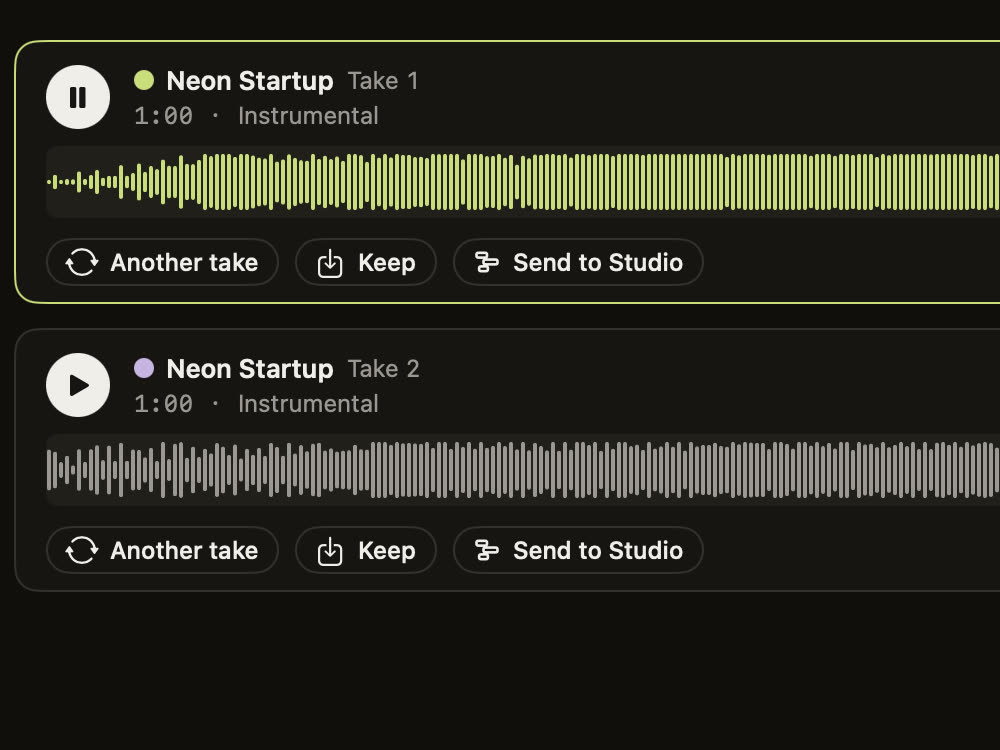
Make it renders the recipe on your Mac. Another take tries again; Keep saves the one you like.
Songs from your lyrics
Type or paste your lyrics. They are kept word for word, and your Mac sings them as a full song. Hear Turn It Up Tonight.
Sound effects
Risers, impacts, rain and whooshes, a few seconds long, for a video cut or a drop.
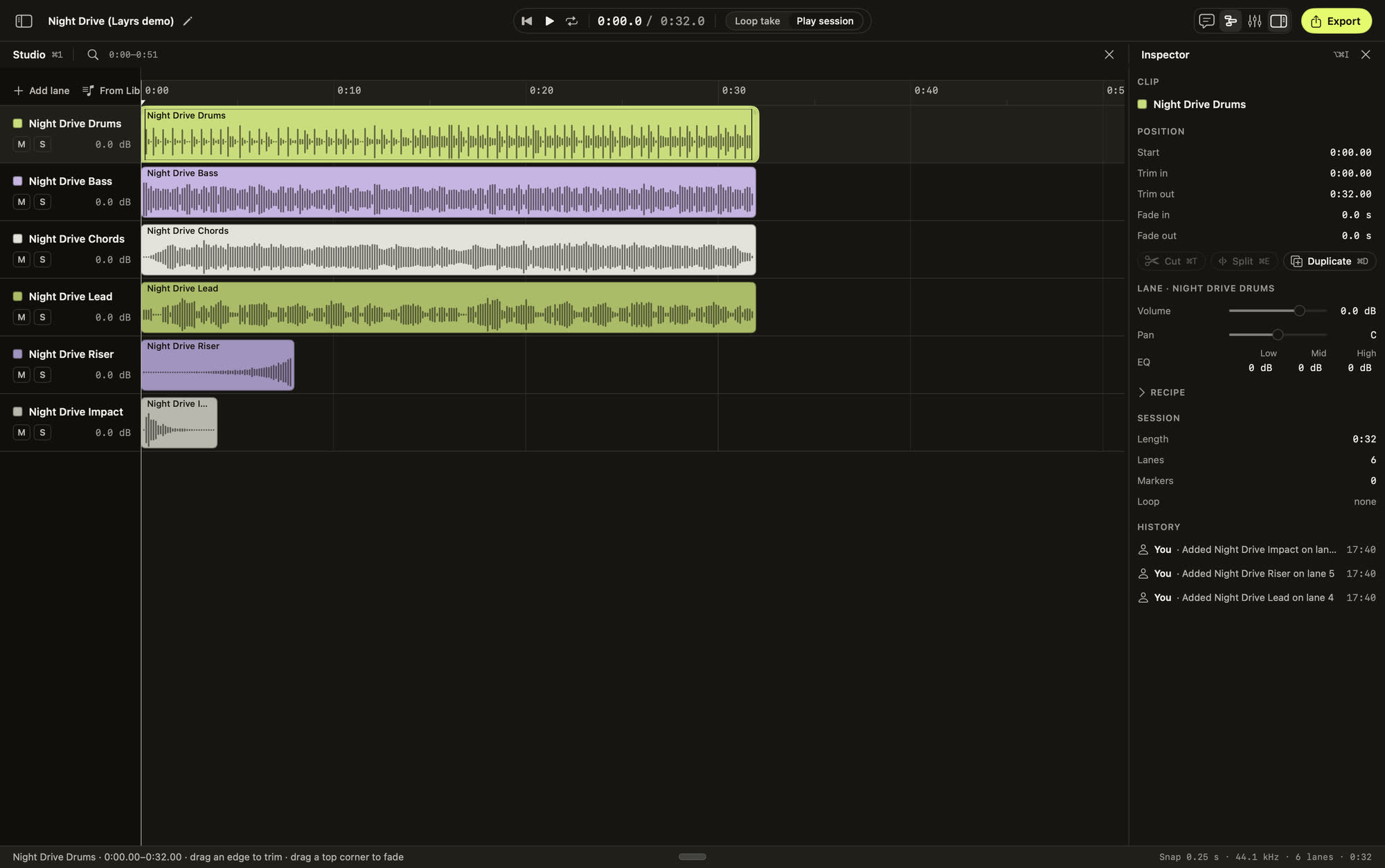
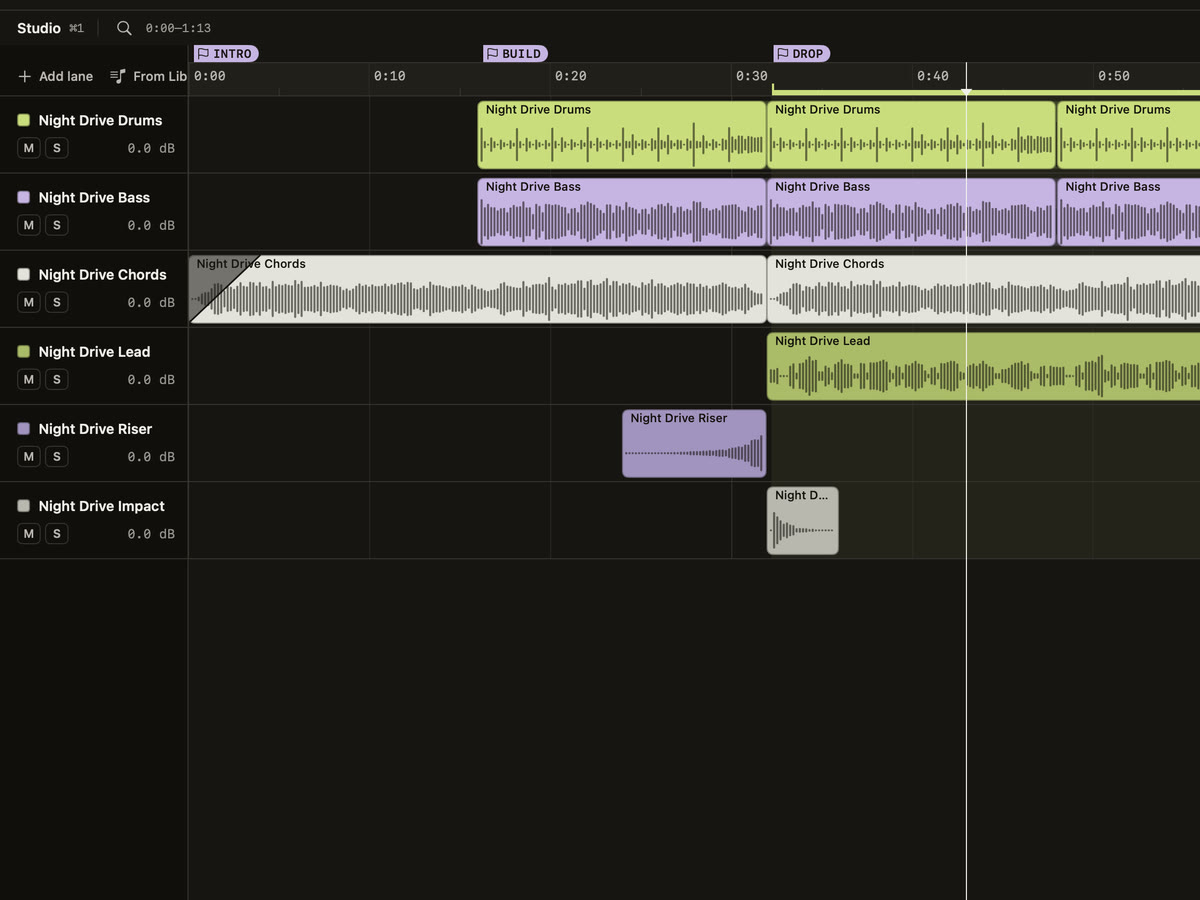
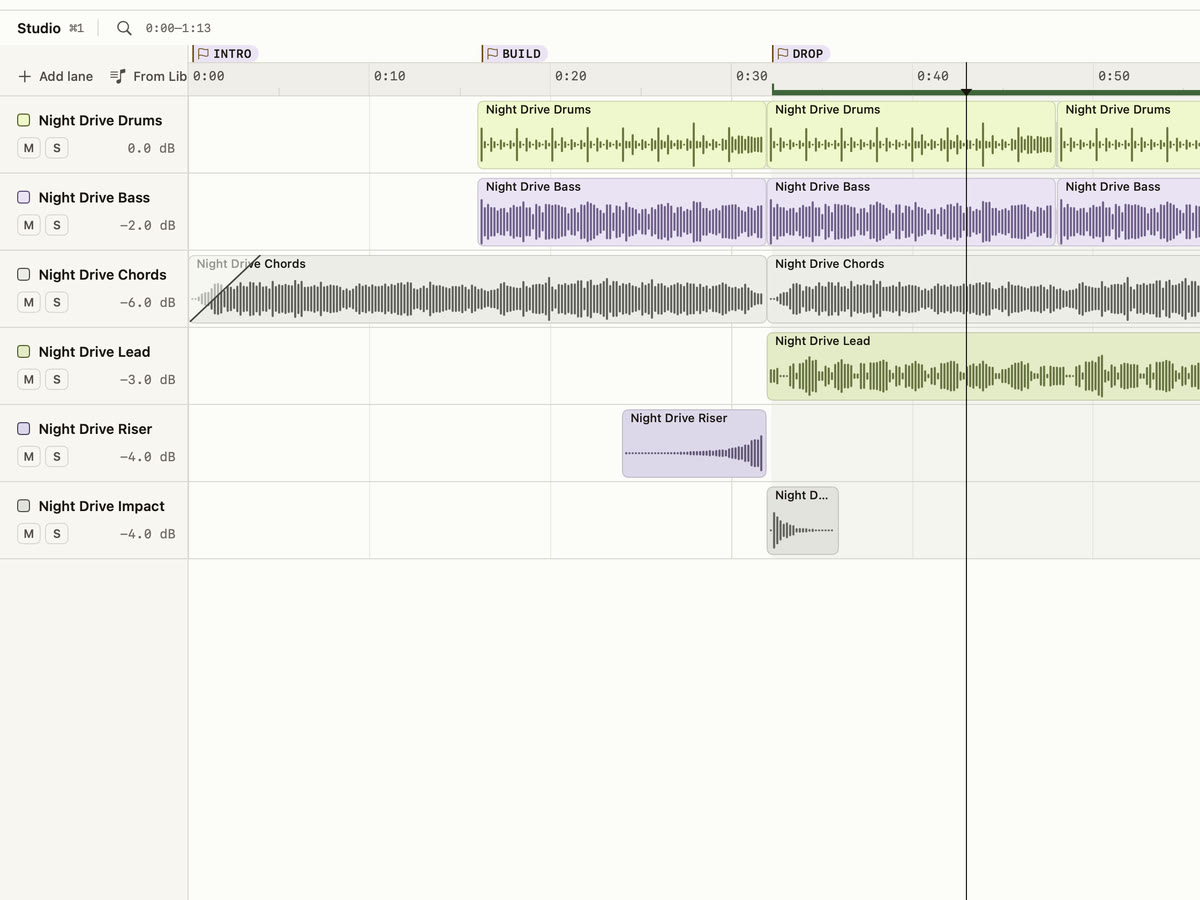
Studio arrangement
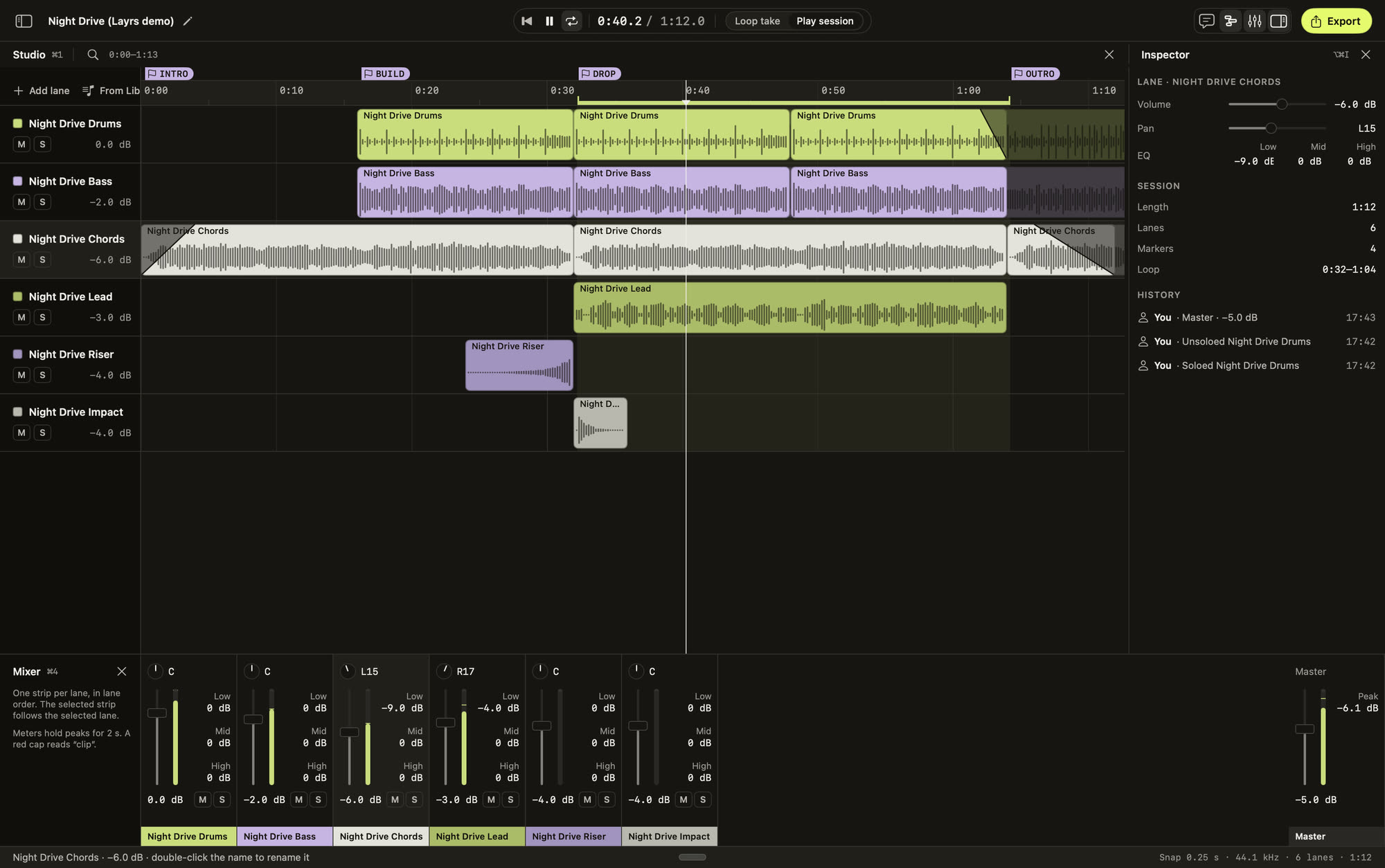
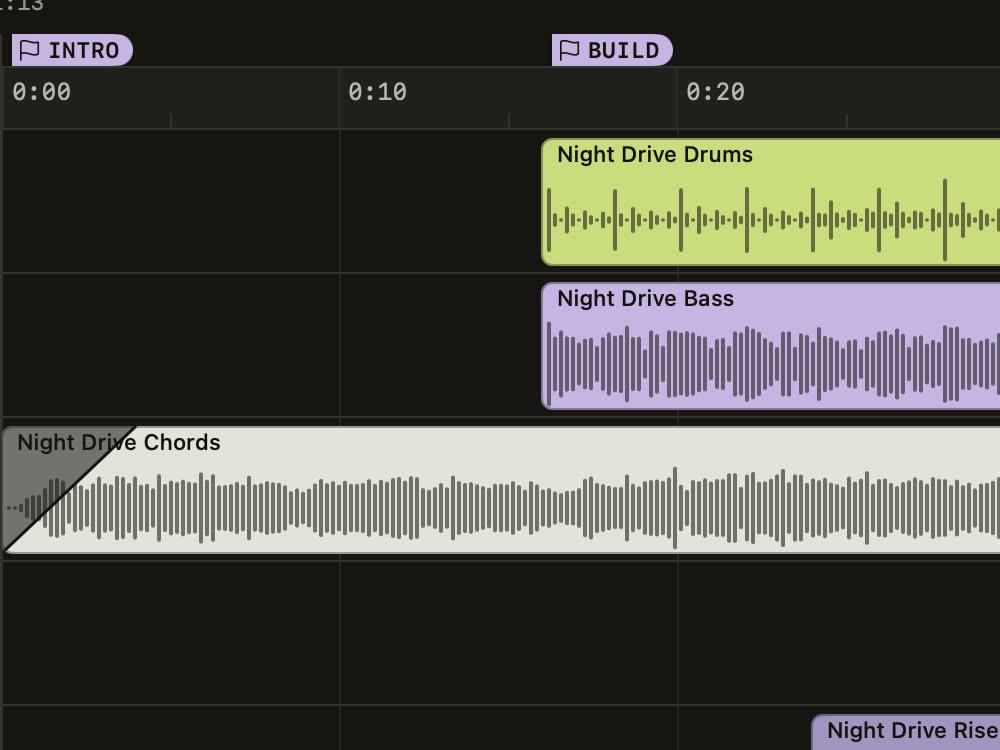
Send takes and your own recordings to lanes on a timeline. Trim, split, cut, duplicate and fade.
Volume, pan and EQ
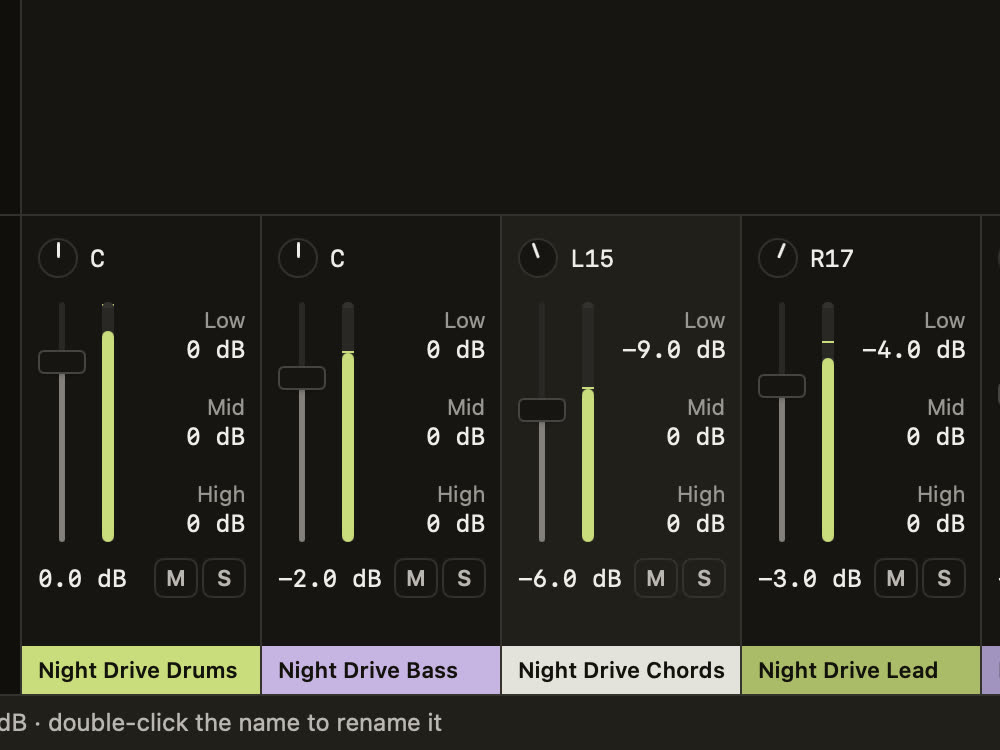
Each lane has its own volume, pan and three-band EQ. The Mixer (⌘4) shows them all at once, with meters.
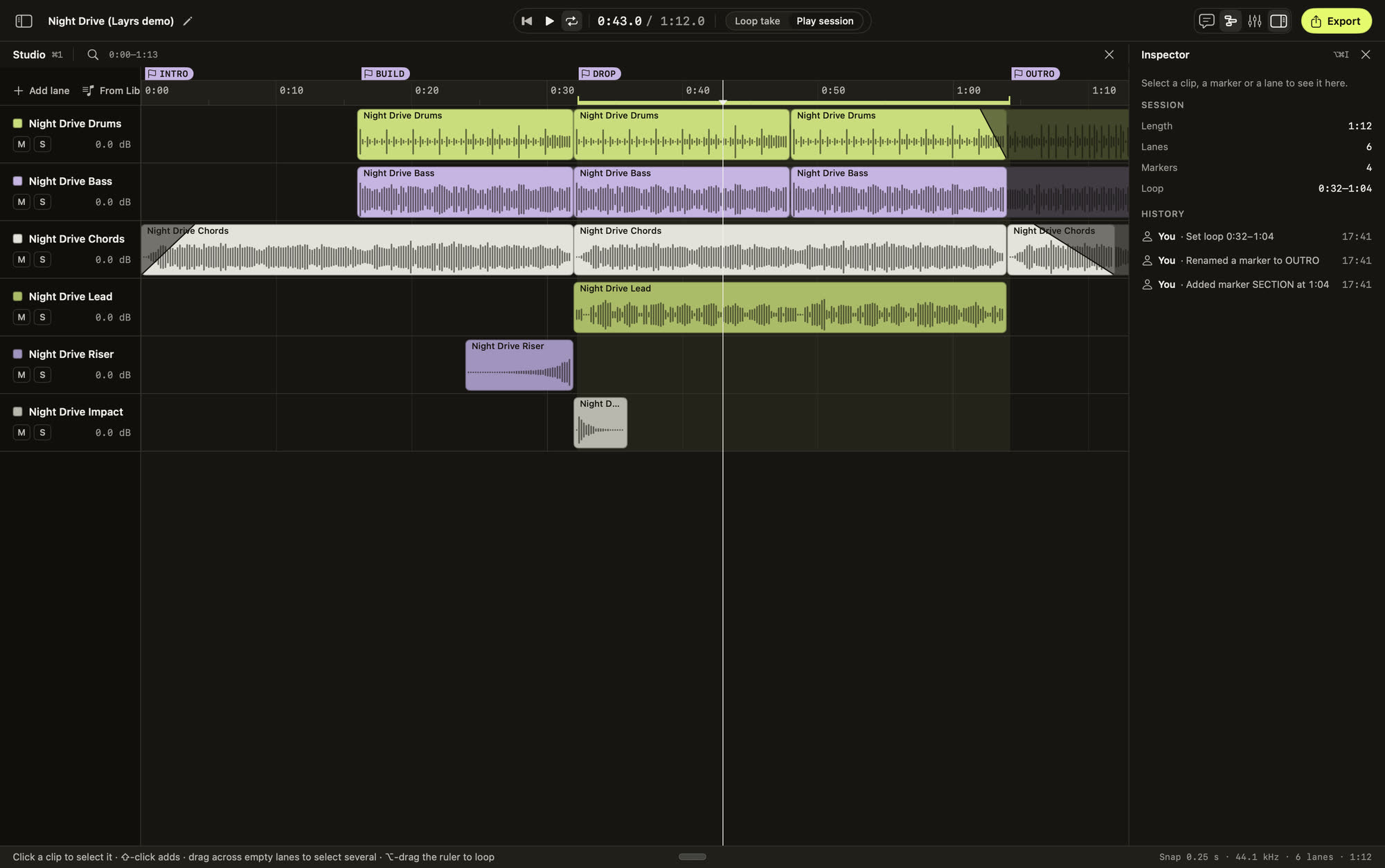
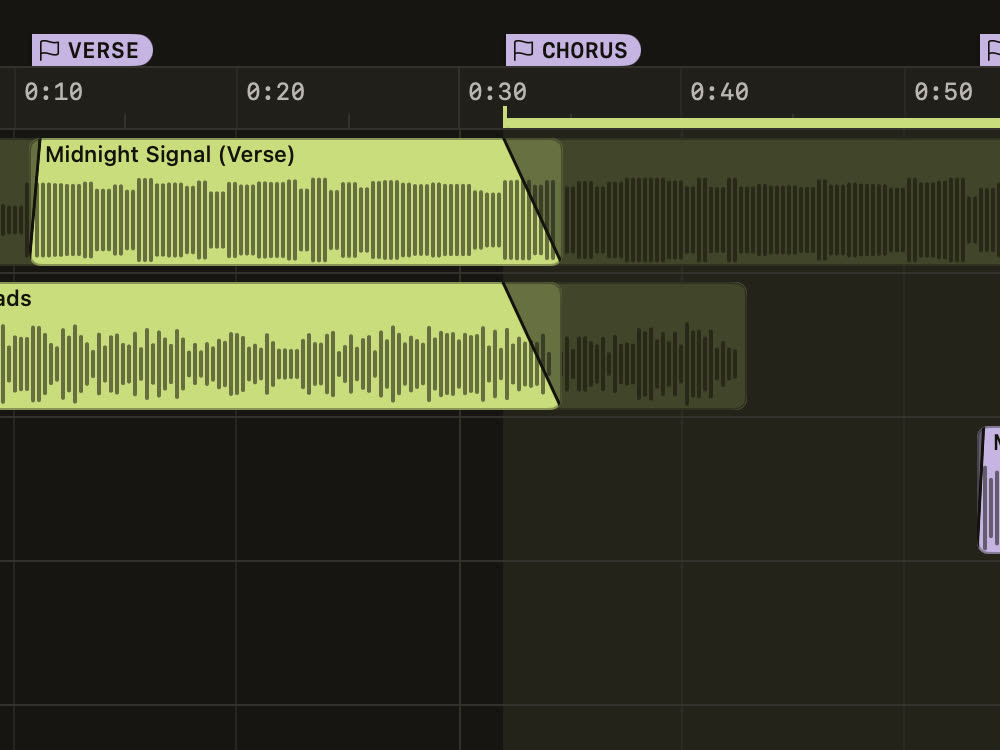
Markers and loop
Drop markers on the ruler and loop a region. Play the whole session, or one take on its own.
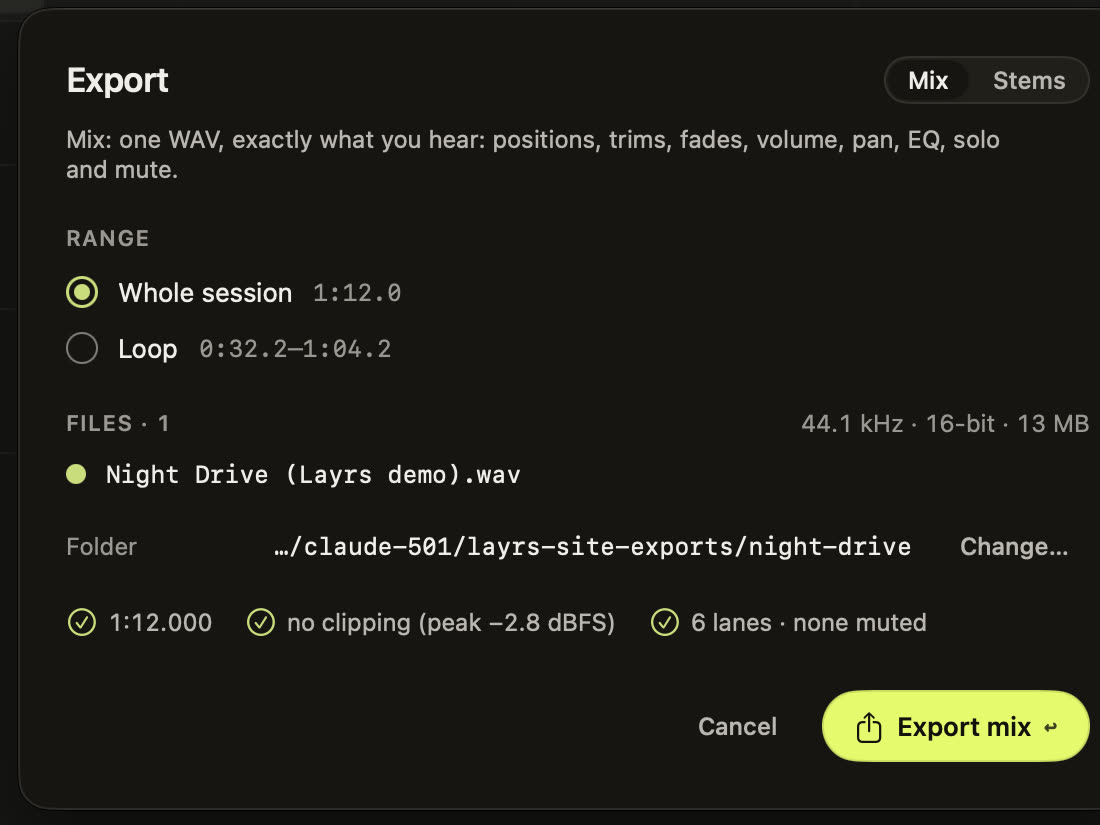
Export a mix or stems
One WAV of exactly what you hear, or a WAV per lane with its own volume, pan and EQ.
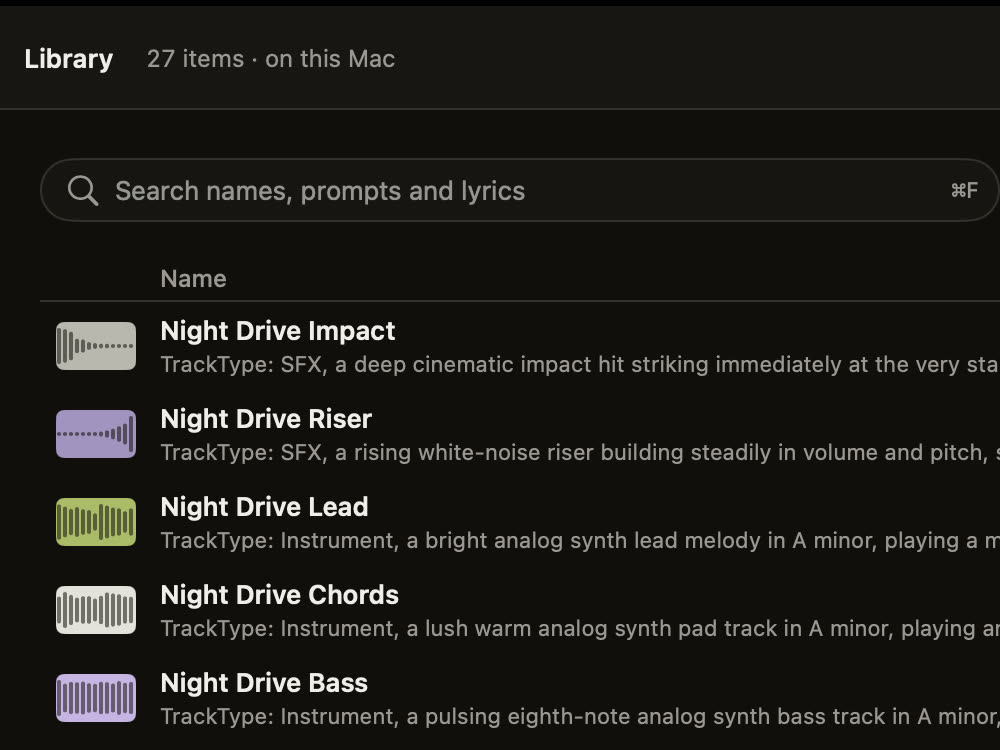
Library
Every take you keep, with its prompt or lyrics, seed and length. Import your own audio too.
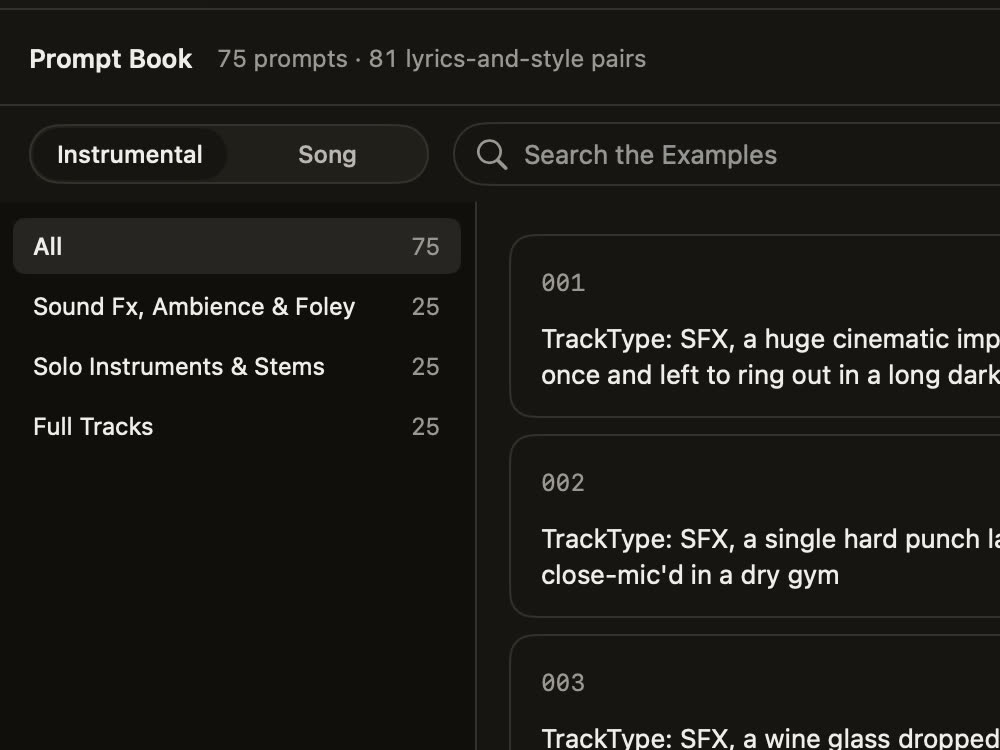
Prompt Book
A guide to describing a sound, plus prompts and style-and-lyrics pairs. Use puts one in the chat.
Light and dark
Layrs follows your Mac’s appearance, or stays light or dark. Choose in Settings.
DarkLight
MIX THREE LAYERS.
Drums, bass and lead of Night Drive, a track made in Layrs, exported from its Studio as stems. Turn each one on, set its level, and keep what you hear as a WAV.
0:00.0of 0:10
The live mix needs JavaScript. The finished tracks above play without it.
Five bars of the drop, 10 seconds at 120 BPM. Try each stem on its own or mix them together.
WHAT ARE YOU MAKING?
Try a workflow with real audio. Play, trim and balance a recording here, then say your own brief in the Layrs chat on your Mac.
Every 7 seconds
Reels & TikTok
A beat that hits from the first frame.
Short-form edits need energy immediately and nothing you have to cut around. Ask for exactly that, then keep the bars that fit.
Ask for
30 seconds. The length chip goes from 1 second to 6:20.
Then
Trim the bars that match your cut in Studio. Add a fade where the clip ends.
Out
A WAV, into the editor you cut in.
Endings will not land on your last frame by themselves; trim them so they do. Each take is different, so press Another take a few times and keep the one that moves with your footage.
Import the voiceover you already recorded, generate the music to sit under it, and balance the two on one timeline.
Ask for
30 seconds, or about the length of your intro.
Then
Import your voiceover to the Library and send it to Studio beside the take. Set the music a few steps lower, fade it in and out, tame the low end with the three-band EQ.
Out
One WAV mix, or a stem per lane if your editor wants them apart.
Layrs does not record your microphone or duck the music for you. You set the levels by ear, which is also how you keep them.
Generate the piece you are missing, lay it beside your own takes, and leave with stems that line up.
Ask for
30 seconds, with the tempo and key named in your message.
Then
Send it to Studio with your imported takes. Trim, split, duplicate and loop; set level, pan and a three-band EQ per lane; drop markers; undo freely.
Out
A WAV mix, or a processed WAV stem for every audible lane, each starting at 0:00.
Snap in time-based increments as fine as 0.1 seconds. There is no automatic beat matching, time-stretch or repitch. Place parts by ear, and treat the stems as your arranged lanes rather than separated instruments.
Write a short line, repeat it, and say the style you hear. The assistant keeps your words, writes the song’s style, and Sing it makes it on your Mac. Then trim the part that sticks.
Where
A Song session: paste the lyrics and the style into the chat. Your lyrics are kept word for word.
Length
A song can run up to 6:00. Trim the hook you want in Studio.
The Prompt Book has 81 style-and-lyrics pairs to start from. They are recipes to adapt, not a trend feed, and nothing here promises reach.
Make the sound for the brief, instead of settling for the nearest stock file.
Keep the takes you like. Your Library becomes a shelf of your own sounds.
No generation credits in the app. Another take costs your Mac some time, not a top-up.
Editing a starter prepares your brief; paste it into the chat in the Mac app and the music is made there. You can also explore the genre previews in the listening room.
MADE HERE. KEPT HERE.
Your unreleased music belongs on your Mac.
The music is made on your Mac. Your audio, your Library and your Studio sessions stay on your own disk. The chat is the one part that goes online: your messages go to the assistant, a cloud AI service, and its recipes come back.
The music engines run on your Mac, with or without the internet.
No generation credits.
Make another take. Your Mac does the work.
Only the chat goes online.
Your messages go out; your audio never does.
Plain WAV audio.
No embedded audio watermark or generator tag.
WHO MAKES LAYRS.
Three brothers with a deep love for music. We always had the ideas, but the tools to make them felt too hard to learn, so we never started. Layrs is what we wish we had: a way for anyone to become their own producer and composer, and make the music they love.
Surya Vikram Singh
Co-founder
MS in Computer Science, California State University, Fullerton
Chandra Vikram
Co-founder
MS in Informatics, Indiana University
Awahan Sapkota
Co-founder
BS in Chemical Engineering and BA in Physics, University of Pennsylvania
MAKE IT YOURS.
One studio on your Mac, paid month by month. It begins with an email to the makers, who confirm availability and the right build for your Mac.
Month by month.
Your own local music studio, paid for one month at a time.
Paid one month at a time
The chat assistant, which writes your recipes (online)
Songs, instrumentals and sound effects, made on your Mac
Another take as often as you like, with no credits
Ordering is by email for now, and nothing is paid until the makers have confirmed availability and compatibility with your Mac. The plan includes the chat, songs, instrumentals and sound effects, and Studio. See the purchase terms.
SETTLE IN.
When your build arrives, three steps take you from the download to your first track.
Open the DMG.
Drag Layrs into Applications.
Open Layrs.
If macOS asks for approval, use System Settings → Privacy & Security → Open Anyway.
Make something.
Start a new session (⌘N) and say what you want. The chat needs an internet connection; making the music doesn’t.
GOOD TO KNOW.
Which Macs can run Layrs?+
An Apple Silicon Mac running macOS 27 or later.
Does it work offline?+
Partly. The music is made on your Mac, so rendering, another take of a recipe you already have, Studio, the Library and export all work offline. The chat assistant runs online, so a new recipe from the chat needs an internet connection.
What goes online?+
Only the chat. Each message sends the conversation so far, with the assistant’s instructions, to a cloud AI service, which answers with a recipe. Your audio, your Library, imported files and Studio sessions stay on your Mac. The privacy policy names the service and what it receives.
Do I need to write the lyrics?+
No. Ask for a song and the assistant writes the style and the lyrics, or paste your own words and they are kept word for word. A song takes several minutes to make on your Mac.
Can I bring my own audio?+
Import WAV, AIFF, MP3, M4A, FLAC or CAF files into the Library, then add them to Studio alongside your generated tracks.
What can I export?+
A WAV mix or a separate, processed WAV stem for each audible Studio lane. Stems are your arranged timeline lanes, rather than automatic vocal or instrument separation.
Is the mix on this page made by Layrs?+
Not directly. The three demo layers are 10-second loops. Your browser mixes them and writes the WAV. What you ask for in the Mac app is made new, and it will sound different.
Is there a watermark?+
Layrs writes plain WAV audio without an embedded audio watermark or a generator tag in the file.
How short or long can a sound be?+
An instrumental or a sound effect can be 1 second to 6:20, set with the length chip under the chat. Ask for roughly what your cut needs, then trim the take in Studio; a 30-second request will not end exactly on your last frame by itself. A song can run up to 6:00.
Will it match the tempo of my edit?+
Studio places clips freely or snaps in time-based increments as fine as 0.1 seconds. It does not beat-match, time-stretch or repitch. Name the tempo and feel in your message, then place and trim by ear. The production brief walks through it.
How do I get Layrs?+
By email, for now. Contact the makers to confirm availability and compatibility with your Mac before anything is ordered. Layrs is $29 per month; there is no self-serve checkout yet.